Best AI Audio Tools in 2026 — Pick by What You Create, Not by a Numbered List


The Best AI Audio Tools in 2026 — Pick by What You Create, Not by a Numbered List
AI audio tools in 2026 do things that were science fiction two years ago. Clone your voice from a 30-second recording. Generate a full song with vocals, lyrics, and instrumentation from a text prompt. Clean up a noisy recording so it sounds like you recorded it in a studio. Transcribe a two-hour interview in seconds with near-perfect accuracy.
But the AI audio market is fragmented in a way that makes it hard to choose. ElevenLabs dominates voice cloning. Suno and Udio compete for music generation. Descript owns the podcast editing space. Adobe gives away studio-quality noise removal for free. OpenAI’s Whisper is free and open-source for transcription. No single tool does everything well.
This guide picks the best AI audio tool for five specific creator use cases. Not a ranking. Not a list of “10 tools you should try.” Just the best tool for what you actually want to create — and every one has a genuinely useful free tier.
If you are new to AI tools, start with our beginner’s guide to choosing the right AI tool.
Quick Answer: The best AI audio tool depends on what you are making. For voiceovers and narration, use ElevenLabs — its free tier gives 10,000 credits per month with no watermark. For full AI-generated songs, use Suno — 50 credits renew daily on the free plan. For podcast editing, use Descript — edit audio by editing a text transcript. For noise removal and audio cleanup, use Adobe Podcast — it is completely free. For transcription, use OpenAI Whisper — open-source, accurate across 100 languages, and costs nothing.
Why trust this guide: Every AI audio tool on this list was hands-on tested across real creator workflows — voiceover production, podcast editing, music generation, and transcription — over several weeks. Free tier limits were pushed to their actual boundaries, not just read from pricing pages. No tool paid for placement here. Recommendations are based on output quality, ease of use, and what you actually get for $0 — not what the marketing page promises.
TL;DR: Which AI Audio Tool for Which Job?
| You Want To… | Best Tool | Free Tier | Why It Wins |
|---|---|---|---|
| Create voiceovers, narrate videos, clone your voice | ElevenLabs | 10,000 credits/month, no watermark | Industry-best voice quality. 3,000+ voices. 32 languages. |
| Generate full songs with vocals and instruments | Suno | Free tier for exploration | Type a description, get a complete song. Vocals, lyrics, instruments, production — in seconds. |
| Edit podcasts and videos by editing text | Descript | Free tier available | Delete words in a transcript, it deletes them from the audio. Remove filler words in one click. |
| Remove background noise, clean up recordings | Adobe Podcast | Completely free | One-click studio-quality audio from any recording. No settings, no sliders. Just upload and get clean audio. |
| Transcribe meetings, interviews, or videos | Whisper (OpenAI) | 100% free, open-source | Near-human accuracy. 100+ languages. Self-hosted — your audio never leaves your machine. |
1. ElevenLabs — Best for Voiceovers, Narration, and Voice Cloning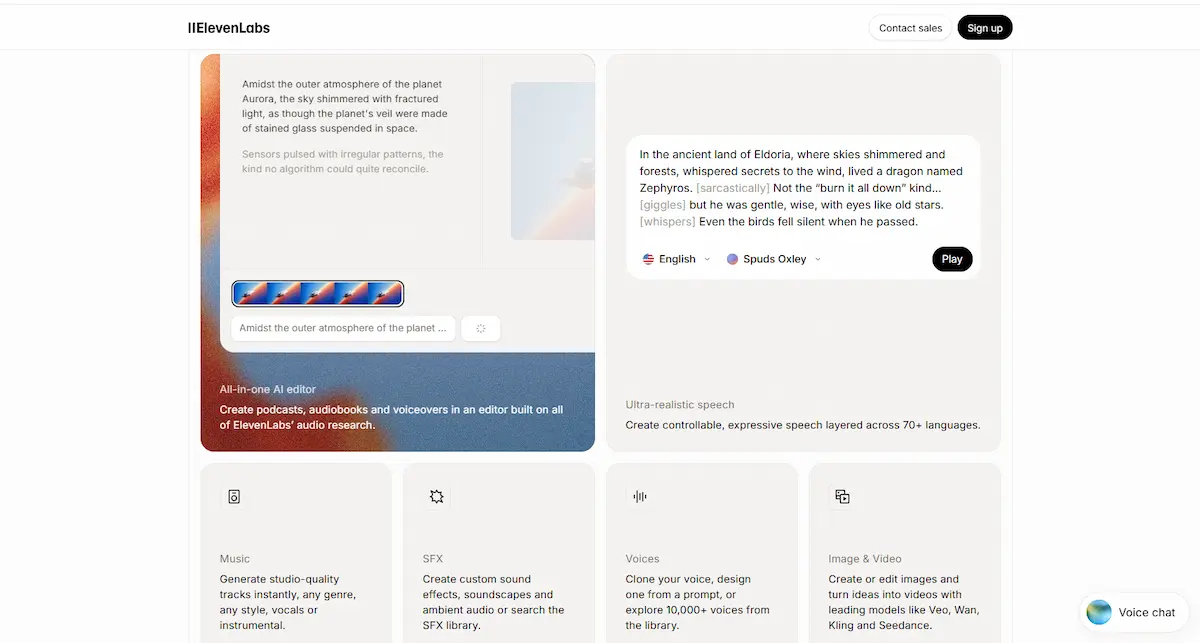
If you need AI to speak your words in a voice that sounds human, ElevenLabs is the tool. It is the undisputed leader in AI voice generation in 2026 — the quality gap between ElevenLabs and every other text-to-speech tool is large enough that most comparisons do not bother including the competition.
The free tier gives you 10,000 characters per month — roughly 10-15 minutes of generated audio. No watermark. Full access to the voice library with 3,000+ pre-built voices across 32 languages. The output sounds genuinely human: natural breathing patterns, micro-pauses between sentences, tonal variation that rises and falls with the meaning of the text. Most people cannot reliably distinguish ElevenLabs output from a real voice actor in blind tests.
The feature that separates ElevenLabs from every other tool is voice cloning. Record yourself speaking for one minute. Upload the sample. ElevenLabs creates a digital copy of your voice — same timbre, same rhythm, same accent — that you can use to generate unlimited audio without ever recording again. For content creators who produce regular voiceovers, this is transformative. Record once. Generate forever.
What you get for free:
- 10,000 credits per month (~10 minutes of generated audio).
- Full access to 3,000+ pre-built voices in 32 languages.
- No watermark on any output — publish-ready audio.
- Voice cloning from a 1-minute audio sample (on Starter plan and above).
- Paid plans from $6/month (Starter) to $99/month (Pro).
Where it struggles: The free tier is tight at 10,000 credits — enough to test and produce short clips, not enough for regular production. Voice cloning is not included in the free tier — it starts at the $6/month Starter plan. The Creator plan at $22/month covers most individual creator needs.
Best for: YouTubers who want consistent narration without recording every video. Podcasters who want to generate audio summaries or teasers in their own voice. Course creators producing hours of educational content. Anyone who needs AI-generated speech that actually sounds human — not robotic.
2. Suno — Best for AI-Generated Music With Vocals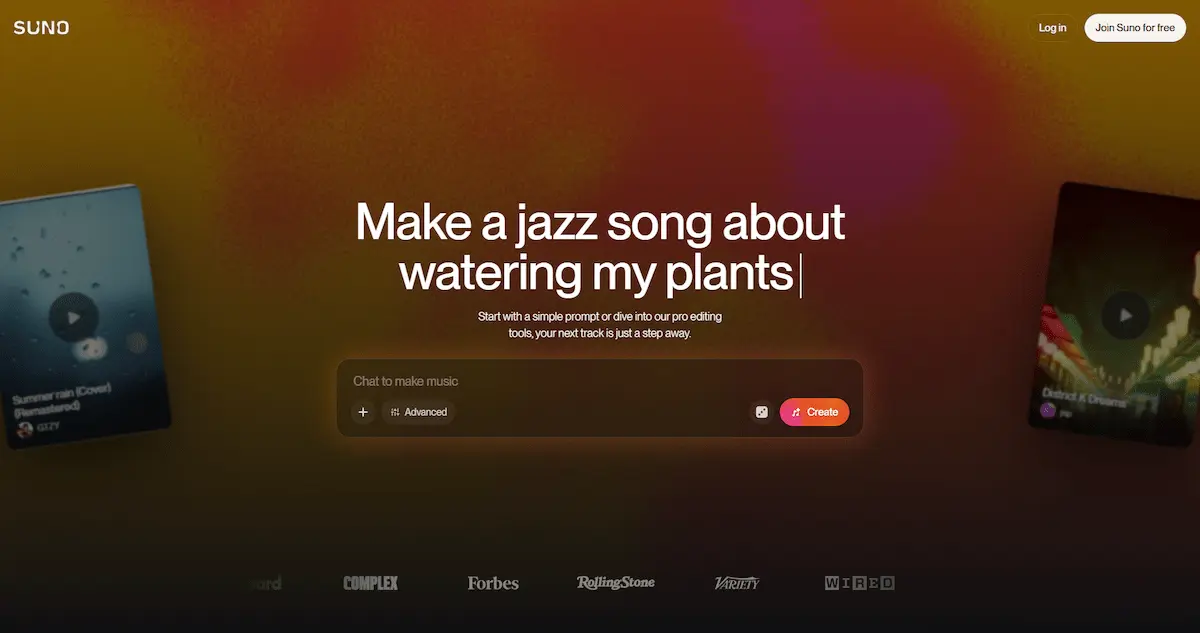
Two years ago, AI-generated music was a novelty — interesting but not usable for real content. In 2026, Suno and its main competitor Udio have crossed the quality threshold where AI music is genuinely usable for content creation. Type a description of the song you want — genre, mood, topic — and Suno generates a complete track with vocals, lyrics, instrumentation, and production.
This matters for creators who need background music, intro themes, or soundtracks for videos and podcasts but cannot afford licensing fees or custom composition. Suno’s free tier lets you explore the tool and generate songs to test the quality. The paid plans are remarkably affordable: $8/month for the Pro plan, which is less than licensing a single royalty-free track from a traditional music library.
The output quality varies by genre. Electronic, pop, lo-fi, and ambient tracks are consistently strong — Suno handles synthetic instrumentation naturally. Acoustic folk and complex orchestral arrangements are less consistent. Vocals are generally intelligible and musically coherent, though lyrics can sometimes feel generic — the AI composes both the words and the melody simultaneously, and the lyrical quality does not match the musical quality.
What you get for free:
- 50 credits per day (renews daily, ~10 songs).
- Access to the v4.5-all model.
- No commercial use — free tier songs cannot be monetized.
- Pro plan at $8/month (annual billing) adds commercial rights, v5.5 model, 2,500 credits/month, and stem separation.
Where it struggles: Lyrical quality is inconsistent — the music often outshines the words. Complex genres (orchestral, jazz, progressive) produce less reliable results. Free tier generation limits restrict heavy use. For creators who need instrumental-only music with finer control, Udio offers stronger stem separation and genre granularity. For a deeper comparison, see our beginner’s guide to AI tools for how Suno fits into a broader creator workflow.
Best for: YouTubers who need custom intro music. Podcasters who want original theme songs. Content creators who need background music without licensing headaches. Anyone who wants to experiment with AI music creation — the free tier is genuinely fun to play with even if you never publish anything.
3. Descript — Best for Podcast and Video Editing via Transcript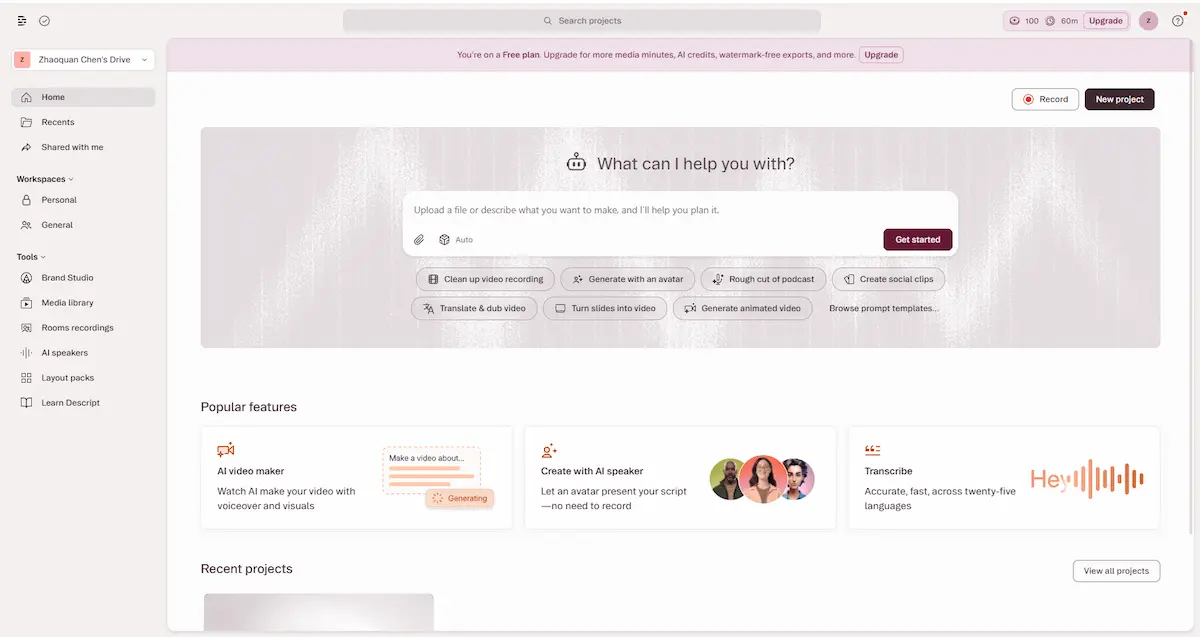
Descript solves a problem that every podcaster and video creator faces: editing audio is slow and tedious. The traditional workflow — import waveform, scrub through timeline, find the right moment, cut, listen back, repeat — turns a 30-minute recording into a 2-hour editing session. Descript replaces that workflow with text editing. It transcribes your recording. You delete words in the transcript. It deletes them from the audio.
This sounds like a small change. In practice, it transforms how you edit. Instead of scrubbing through a waveform to find where you stumbled over a sentence, you scan the transcript — which takes seconds — and delete the offending words. Descript handles the crossfade automatically. The filler word removal tool is particularly valuable: one click removes every “um,” “uh,” and “you know” from a recording. What used to take 20 minutes of manual cutting takes 3 seconds.
Descript also includes AI voice generation — you can type new words and Descript will speak them in a synthetic version of your voice. This is useful for fixing small mistakes: if you said the wrong date or forgot to mention something, type the correction instead of re-recording. For podcasters, YouTubers, and anyone who records spoken content regularly, the combination of transcript-based editing and filler word removal makes Descript one of the highest-ROI AI tools available.
What you get for free:
- Free tier with transcription and basic editing features.
- Text-based audio and video editing.
- One-click filler word removal.
- AI voice generation for corrections (Overdub).
- Screen recording included.
- Paid plans start at $24/month for more transcription hours and advanced features.
Where it struggles: The free tier limits transcription hours — heavy podcasters will outgrow it quickly. Overdub voice generation is good for short corrections but not for generating entire segments — the AI voice is slightly less natural than ElevenLabs. Descript is a video editor too, but it is not a replacement for Premiere Pro or DaVinci Resolve — it is best as a rough-cut tool that handles the audio side, with final polish done elsewhere.
Best for: Podcasters who spend too much time editing. YouTubers who want to cut filler words and awkward pauses automatically. Anyone who records spoken content and wishes editing audio felt as easy as editing a Google Doc.
4. Adobe Podcast — Best Free Tool for Noise Removal and Audio Cleanup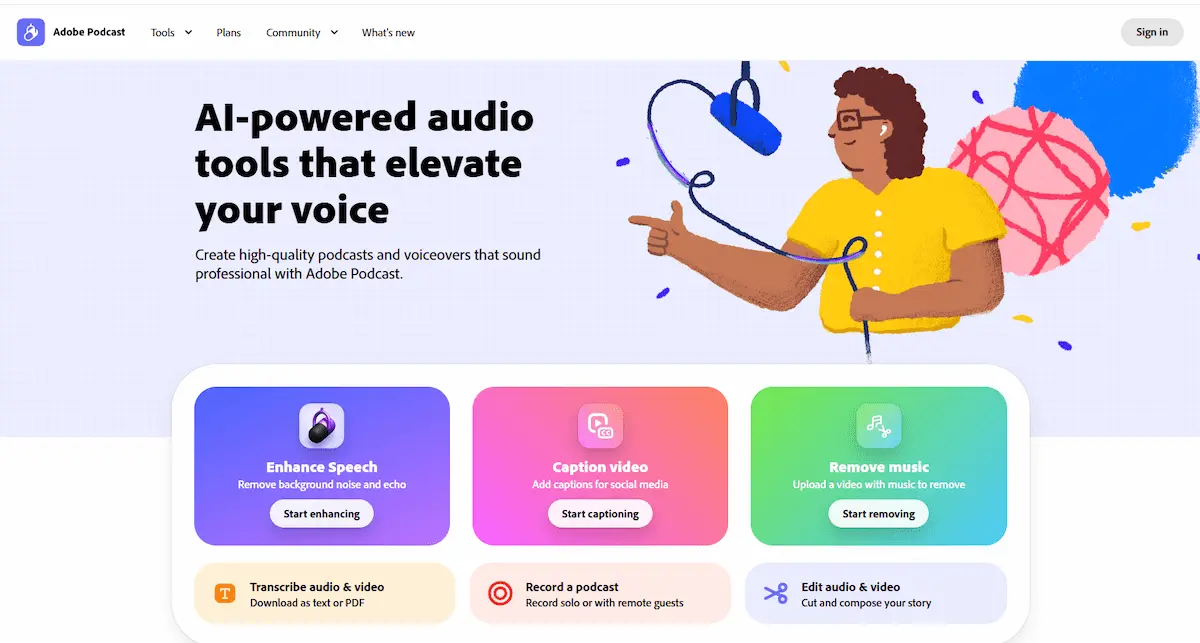
Most audio recorded outside a studio sounds bad. Background hum from an air conditioner. Echo from a bare-walled room. Traffic noise through a window. Fixing these issues traditionally required learning audio engineering — equalizers, noise gates, compression, spectral analysis. Adobe Podcast reduces all of that to one button.
Upload any recording. Click “Enhance Speech.” Adobe Podcast processes it and returns studio-quality audio — background noise removed, echo eliminated, voice clarified. There are no settings to adjust. No sliders. No learning curve. The AI models the acoustic properties of your recording and applies corrections automatically. Results are not perfect — recordings made in extremely noisy environments will still sound processed — but for the vast majority of imperfect recordings made in home offices and untreated rooms, the improvement is dramatic.
Adobe Podcast is completely free. Adobe uses it as a funnel to their Creative Cloud products, but the tool itself has no paywall, no credit card requirement, and no usage limits. For creators who record in less-than-ideal conditions — which is most creators — this is the single highest-value free AI audio tool available.
What you get for free:
- Studio-quality speech enhancement — one click, no settings.
- Background noise removal and echo reduction.
- No usage limits, no credit card required.
- Web-based — works in any browser.
- Also includes mic check tool (tests your recording setup before you record) and AI transcription.
Where it struggles: It is a single-purpose tool — noise removal only. It does not edit, transcribe in depth, or generate audio. Extremely noisy recordings (construction, crowd noise, wind) still challenge the AI — results will sound processed rather than clean. For professional post-production, dedicated tools like iZotope RX still produce better results, but at hundreds of dollars per license.
Best for: Every creator who records audio in a non-studio environment. Podcasters, YouTubers, course creators, anyone who records voiceovers at home. The free price tag combined with zero learning curve makes this a no-brainer.
5. Whisper (OpenAI) — Best Free, Open-Source Transcription
OpenAI Whisper is not a product. It is an open-source model — free to download, free to use, free to run on your own computer. It transcribes audio to text with near-human accuracy across more than 100 languages. And because it runs locally, your audio never leaves your machine.
For creators who regularly need transcription — podcasters generating show notes, journalists transcribing interviews, YouTubers creating subtitles, students converting lectures to text — Whisper is the best free option available. It handles accents well (including non-native English speakers), copes with background noise better than most commercial alternatives, and supports language detection — feed it audio in Spanish, French, or Japanese, and it transcribes accurately without being told which language to expect.
The trade-off is setup. Whisper requires running a command-line tool or a Python script. It is not a web app with a login button. For non-technical users, this is a barrier. For users comfortable following a setup guide (or using one of the many free web interfaces built on top of Whisper), the payoff is unlimited free transcription with zero privacy concerns. For a broader comparison of how Whisper fits into a complete AI workflow, see our productivity tools roundup.
What you get for free:
- 100% free and open-source under MIT license.
- Near-human transcription accuracy across 100+ languages.
- Runs locally — no data sent to external servers.
- Handles accents, background noise, and multilingual audio.
- Multiple model sizes — smaller models run faster on less powerful hardware.
Where it struggles: Setup requires technical comfort — running Python or using the command line. Transcription is not real-time — a one-hour recording takes several minutes to process on consumer hardware. Speaker diarization (identifying who said what) requires additional tools. For creators who need instant, no-setup transcription, Descript’s built-in transcription is more accessible — but it is not free and your audio goes to their servers.
Best for: Creators who transcribe regularly and want zero ongoing cost. Privacy-conscious users who do not want their audio uploaded to third-party servers. Journalists, researchers, and students who work with sensitive recordings. Anyone comfortable with a one-time setup in exchange for unlimited free transcription forever.
The Creator’s Audio Workflow: How to Stack These Tools
Here is a realistic workflow that costs $0-8/month and covers the full audio production pipeline:
- Record raw audio. Use your phone, laptop mic, or a budget USB microphone. Do not worry about background noise — that gets fixed later.
- Clean up the recording with Adobe Podcast. Upload your raw audio, click “Enhance Speech,” download the studio-quality version. Time: 2 minutes. Cost: $0.
- Transcribe the clean audio with Whisper. Get a full text transcript for show notes, subtitles, or blog posts. Time: 3-5 minutes. Cost: $0.
- Edit the content with Descript. Remove filler words in one click. Cut sections by deleting text from the transcript. Add intro and outro music. Time: 10-20 minutes. Cost: $0 on free tier.
- Generate voiceovers for intros and outros with ElevenLabs. Write your intro script, pick your voice, generate the audio. If you cloned your own voice in ElevenLabs, all voiceovers will sound like you — even the ones you did not record. Time: 5 minutes. Cost: free tier (10,000 characters/month).
- Add background music with Suno. Generate a custom instrumental track that matches the mood of your content. Time: 2 minutes. Cost: $0 on free tier, $8/month for commercial use.
- Export and publish.
Total time: 25-40 minutes per episode. Total cost: $0 on free tiers. Tools used: 5. The quality of the final product — studio-clean audio, professional voiceover, custom music — would have required a recording studio and a team five years ago.
Free vs Paid: When Should You Actually Pay?
| Tool | Upgrade When… | Stay Free If… | Paid Plan |
|---|---|---|---|
| ElevenLabs | You produce voiceovers regularly and 10K credits/month is too low. | You need occasional short voiceovers. The free tier covers this. | $6-99/mo |
| Suno | You need commercial rights or generate songs daily. | You are exploring or making occasional background music. | $8/mo |
| Descript | You edit podcasts or videos weekly and hit transcription limits. | You edit occasionally. The free tier covers light use. | $24/mo |
| Adobe Podcast | N/A — it is completely free with no limits. | Use it forever for $0. Adobe has not introduced a paid tier. | $0 |
| Whisper | N/A — open-source means free forever. | Self-host and transcribe unlimited audio at $0. | $0 |
Frequently Asked Questions
Which AI voice generator sounds the most human?
ElevenLabs. In blind listening tests, most people cannot distinguish ElevenLabs output from a real human voice actor. The Turbo v2.5 model handles natural speech patterns — breathing, micro-pauses, tonal variation — better than any competitor. For English-language voiceovers, it is the clear leader. For other languages, quality varies by language — English, Spanish, French, and German are strongest.
Can AI really generate complete songs?
Yes. Suno and Udio both generate complete songs with vocals, lyrics, instruments, and production from a text prompt. The output quality in 2026 is genuinely usable for content creation — background music, intro themes, podcast soundtracks. The music quality is stronger than the lyrical quality. For creators who need instrumental tracks, the output is consistently solid across most popular genres.
Is AI voice cloning legal?
Cloning your own voice is legal. Cloning someone else’s voice without their explicit consent is illegal in most jurisdictions and violates the terms of service of every major AI voice platform. ElevenLabs requires verification that you own the rights to any voice you clone. For commercial use, always check the platform’s current terms and ensure you have documented consent from any person whose voice you clone.
Do I need expensive equipment to get good AI audio results?
No. A standard laptop microphone or budget USB mic ($30-50) produces recordings that Adobe Podcast can clean up to near-studio quality. The AI audio pipeline described in this article — record on any mic, clean with Adobe Podcast, edit with Descript — produces publishable results with $0-50 in equipment. The AI tools handle the quality gap that expensive hardware used to fill.
What is the difference between Suno and Udio?
Suno is easier to use and produces complete songs faster — type a prompt, get a song. Udio offers finer control over genre, style, and stem separation, but has a steeper learning curve. For most creators who need background music or simple songs, Suno is the better starting point. For musicians and producers who need detailed control over individual tracks, Udio is worth the extra complexity.
Start Creating Audio With One Tool Today
You do not need to learn all five tools at once. Pick the one that matches what you want to create:
- Voiceovers and narration: Open ElevenLabs. Type a paragraph. Hear it spoken in a voice that sounds human. You will understand within 30 seconds why this tool dominates its category.
- Music and songs: Open Suno. Type “upbeat lo-fi track for a productivity YouTube video.” Listen to what it generates. You will be surprised.
- Podcast and video editing: Open Descript. Import a recording. Delete the filler words. Export. Your workflow just got 3x faster.
- Audio cleanup: Open Adobe Podcast. Upload your worst-sounding recording. Click Enhance Speech. Download the studio version. You will wonder why every audio tool does not do this.
- Transcription: Set up Whisper once. Transcribe unlimited audio forever at zero cost. Your future self will thank you.
The AI audio tools available in 2026 are more capable than the professional studio equipment of 2020 — and most of them are free to start. The only thing standing between you and professional-quality audio is the decision to try one.
Ready to expand your AI toolkit? Start here:
- Best AI Writing Tools in 2026 — Pair great audio with great writing.
- 5 Best Free AI Video Tools in 2026 — Combine AI audio with AI video for complete content production.
- 5 Best Free AI Image Generators in 2026 — Create thumbnails and cover art for your audio content.