5 Best Free AI Video Tools in 2026 (Reviewed)


Sora Is Dead. These 5 Free AI Video Tools Are What Creators Actually Use in 2026.
OpenAI shut down Sora on March 24, 2026. The model that was supposed to democratize video creation burned through $15 million a day in compute costs and generated $2.1 million in lifetime revenue. The API lingers until September, but the product is gone.
Here is what nobody expected: Sora’s absence did not kill AI video. It cleared the stage for tools that actually work for creators with zero budget.
YouTube Shorts hit 70 billion daily views in 2025. TikTok users spend 95 minutes per day on the platform. Instagram prioritizes Reels over everything else. Video is not optional — it is the default format for content discovery. But traditional video production costs hundreds of dollars per minute. Cameras, lighting, editing software, hours of your time. For a solo creator, that is a non-starter.
AI video generators changed the math. In 2026, you can create professional-looking clips from text prompts in minutes. No camera. No editing experience. No budget.
We evaluated over a dozen free AI video tools that are still running post-Sora, cross-referenced benchmark rankings, and dug into real user reviews. These five are the ones worth your time.
Browse all our AI tool reviews and tutorials.
1. Google Veo 3.1 — Best Quality and Only Free Tool With Native Audio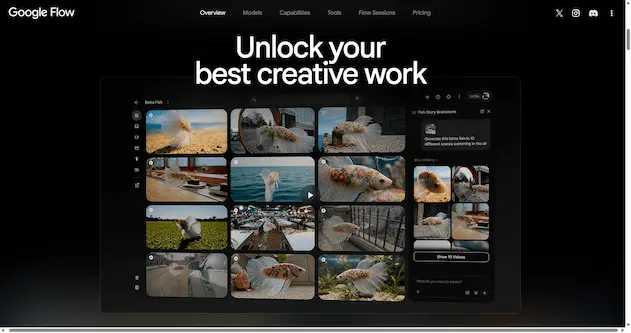
Google Veo 3.1 is the current quality leader among free AI video generators. It produces the highest-fidelity output on a free tier — and it is the only free tool that generates synchronized audio natively. Dialogue, sound effects, ambient noise, and music all come baked into the video. No separate sound design step required.
Veo is powered by Google DeepMind’s latest video model. It understands prompt instructions with surprising depth — describe a camera angle, lighting condition, and character action, and Veo attempts to render all three simultaneously. In April 2026, Google opened Veo 3.1 to all Google account users. No waitlist. No subscription. No credit card.
What you get for free:
- 10 video clips per month through Google Vids. Credits reset monthly.
- Native audio generation — lip-sync for dialogue, environmental sounds, scene-matched music. No other free tool does this.
- Videos up to 8 seconds at 720p resolution.
- Four access points: AI Studio, VideoFX (aitestkitchen), Google Vids, and YouTube Studio.
- YouTube direct export — generate a clip and push it straight to your channel.
- Lyria 3 music generation integration (up to 3 minutes of custom soundtrack).
Where it struggles: 10 clips per month is enough to test the tool, not enough for daily content production. Google’s content filters are aggressively strict — prompts involving violence, copyrighted characters, or mildly suggestive themes get rejected outright. 720p feels limited for desktop viewing. Commercial use terms are complex; read Google’s policy before monetizing.
Best for: Social media teaser clips, product demo snippets, Instagram Reels and YouTube Shorts under 8 seconds, and any video that needs synchronized audio without a separate sound design step.
2. Kling AI 3.0 — Best Cinematic Motion and Facial Animation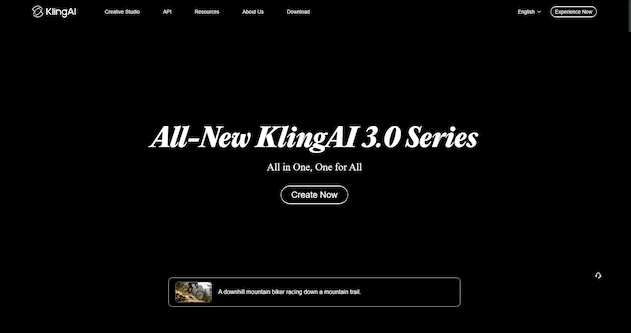
Kling AI 3.0, built by Kuaishou Technology, is the tool to use when motion quality matters most. If you need a character’s hair to blow in the wind, a dancer’s body to move naturally, or a face to express subtle emotion, Kling does it better than any free competitor.
Kling 3.0 added native audio generation and lip-sync in 6 languages. In June 2026, Kuaishou released two new variants: Kling 3.0 Turbo (faster generation, improved lip-sync, more stable motion) and Kling 3.0 O3 (single clips up to 15 seconds at full 4K with stronger prompt consistency). A multi-shot storyboard feature now lets you generate up to 6 camera cuts in one pass with visual consistency across all shots — a feature previously only available in premium editing suites.
What you get for free:
- 66 credits per day (roughly 3-6 clips depending on length). Credits refresh daily and do not accumulate.
- Videos up to 5 or 10 seconds. A 10-second clip costs 20 credits; a 5-second clip costs fewer.
- Native audio generation and multilingual lip-sync in 6 languages.
- Multi-shot storyboard — generate up to 6 visually consistent shots in one request.
- 720p resolution on free tier. 4K (60fps) available on paid plans.
Where it struggles: Every free export includes a visible watermark. Removal requires a paid plan starting at approximately $8/month. The queue system can add several minutes of wait time during peak hours. Resolution is capped at 720p without paying.
Best for: Cinematic establishing shots, character-driven clips, dance and motion sequences, multi-shot narrative scenes, B-roll for YouTube videos, and any content where realistic human movement is the priority.
3. CapCut — Best All-in-One AI Video Generator and Editor (No Watermark)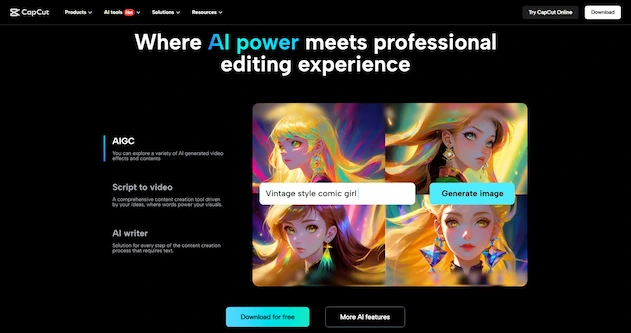
CapCut has evolved. It used to be just an AI-powered editor. As of April 2026, CapCut also generates original AI video — it now serves as the US access point for ByteDance’s Seedance 2.0 Pro, one of the top-ranked AI video engines in the world. Seedance 2.0 Pro currently sits at #1 on the Artificial Analysis benchmark for text-to-video with audio (Elo 1,219) and #1 for image-to-video with audio (Elo 1,194).
That means you can generate footage from text prompts and edit it in the same tool, all for free. For TikTok and Instagram creators, this is arguably the most practical tool on this list. And unlike every other AI generator here, CapCut exports at 1080p with no visible watermark for free.
What you get for free:
- AI video generation from text prompts (powered by Seedance 2.0 Pro).
- Unlimited editing and export. No credit system. No daily caps on editing.
- 1080p export, no visible watermark. The only tool on this list that offers both.
- AI auto-captions with best-in-class accuracy across multiple languages.
- AI text-to-speech with natural-sounding voices in dozens of languages.
- AI background removal and replacement (limited to short clips on free tier).
- AI auto-editing — drop raw footage and CapCut finds the highlights and cuts them together.
- Massive built-in stock footage and music library.
- Works on web, desktop (Windows/Mac), and mobile with cloud sync.
Where it struggles: AI generation has US-specific restrictions — generating videos from real human faces is disabled, and unauthorized IP content is blocked. All AI-generated outputs carry an invisible watermark for platform identification (not visible to viewers). Advanced features like voice cloning and long-form AI video generation require a Pro subscription ($7.99/month). The ByteDance ownership raises data privacy questions for some users.
Best for: TikTok and Instagram Reels creators who want to generate AND edit in one place, adding AI captions to existing videos, creating faceless content from stock footage, and anyone who wants a complete AI video workflow without paying.
4. Hailuo AI (MiniMax) — The Only Truly Unlimited Free Generator
Hailuo AI, developed by MiniMax, is the open secret of AI video in 2026. While every other tool on this list limits you with daily credits or monthly caps, Hailuo offers genuinely unlimited free generation with no watermark. No credit counter. No daily limit. No monthly limit.
The catch? You pay with time, not money. Every generation enters a queue that takes 15 to 30 minutes to complete. There is no “pay to skip” button. This makes Hailuo an asynchronous tool — you queue several generations, go do something else, and come back to review the results. For batch production, this workflow is remarkably efficient. For rapid iteration, it tests your patience.
Hailuo ranks in the top five on independent benchmark leaderboards, sitting just behind paid tiers of Veo and Kling. It is particularly strong at multi-subject scenes — two people interacting, a group of objects in motion — which is exactly where other AI video tools stumble.
What you get for free:
- Unlimited video generations. No daily cap. No monthly cap. No credit system.
- No watermark on any output — free clips are publish-ready.
- Videos up to 6 seconds at 720p resolution.
- Queue time of 15-30 minutes per clip.
- Strong handling of multi-subject scenes with multiple characters or objects.
- Both image-to-video and text-to-video supported.
Where it struggles: The queue is the real price — 15-30 minutes per clip makes rapid prompt iteration painful. The interface mixes English and Chinese, which can be confusing on first use. Face identity drifts slightly between generations (rated 6-7 out of 10 for consistency). No native audio generation. No motion control — you cannot upload a reference video and have your character copy that exact movement.
Best for: Batch production of B-roll and atmospheric clips, creators with more time than budget, overflow when you exhaust daily credits on Veo or Kling, and anyone who needs publish-ready AI video without paying a cent.
5. Luma Dream Machine — Best for Quick, Clean Generations With a Generous Free Tier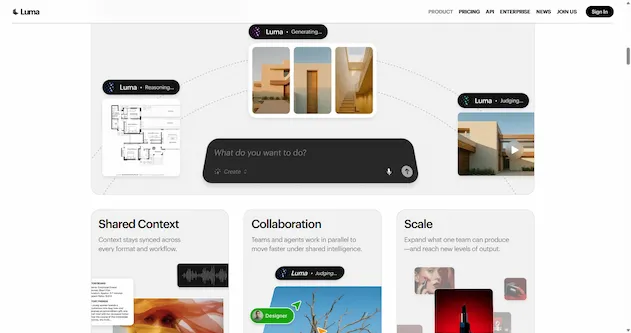
Luma Dream Machine rounds out this list as the most accessible “just type and go” AI video generator. While Veo dominates quality and Hailuo dominates volume, Luma sits in the sweet spot: good quality, reasonable free tier, fast generation, and the cleanest interface of any tool on this list.
Luma’s Ray 3.2 model (updated in 2026) produces smooth, visually appealing clips with surprisingly good physics simulation. It is not the best at any single category — Veo beats it on quality, Kling beats it on motion, Hailuo beats it on volume — but it is the tool most beginners will enjoy using first. The interface is intuitive, the generation speed is fast (typically 2-3 minutes), and the free tier is generous enough for daily experimentation.
What you get for free:
- 30 free generations per month. Resets monthly. No daily cap.
- Videos up to 5 seconds at 720p resolution.
- Generation time of 2-3 minutes per clip — much faster than Hailuo’s queue.
- Clean, beginner-friendly interface. No Chinese text, no confusing menus.
- Image-to-video and text-to-video both supported.
- Keyframe control — set start and end frames for more directed motion.
Where it struggles: Free outputs include a visible Luma watermark. Removal requires a paid plan starting at $9.99/month. No native audio generation. Face identity consistency is moderate (5-6 out of 10). The 30-generation monthly cap is more generous than Veo but still limits heavy users.
Best for: Beginners who want a clean, fast, no-friction introduction to AI video, quick concept testing before spending credits on Veo or Kling, and creators who value a smooth user experience over raw output quality.
Which Tool for Which Job? A Quick Decision Guide
Stop using the wrong tool for the wrong job. Here is exactly which free AI video tool to pick based on what you are creating:
| You Want to Create… | Use This Tool | Why | Watermark? |
|---|---|---|---|
| High-quality clips with synced audio | Veo 3.1 | Best quality + native audio (10/month) | No |
| Cinematic shots with natural motion | Kling 3.0 | Best facial animation + multi-shot (66 credits/day) | Yes |
| Generate + edit in one tool | CapCut | AI generation + editing, 1080p, unlimited | No |
| Unlimited free clips, no watermark | Hailuo AI | Truly unlimited, no watermark (15-30 min queue) | No |
| Quick, clean, beginner-friendly generations | Luma | Fast 2-3 min generation, best UI (30/month) | Yes |
Free vs Paid: Quick Comparison
| Tool | Free Limit | Watermark | Audio | Paid From |
|---|---|---|---|---|
| Veo 3.1 | 10 clips/month | No | Yes (native) | $19.99/mo (AI Pro) |
| Kling 3.0 | 66 credits/day | Yes | Yes (6 languages) | ~$8/mo |
| CapCut | Unlimited editing | No | TTS + captions | $7.99/mo |
| Hailuo AI | Unlimited | No | No | ~$9.99/mo |
| Luma | 30/month | Yes | No | $9.99/mo |
A Practical Starter Workflow (Cost: $0)
Here is a realistic workflow that costs nothing and produces publishable short-form video content:
- Generate your footage in Veo 3.1 (best quality + audio) or Hailuo (unlimited volume, no watermark). Create 3-5 short clips of 5-8 seconds each.
- Queue extra clips on Hailuo while you work — by the time you finish editing, your next batch is ready.
- Assemble and polish in CapCut. Combine your clips, add AI auto-captions, drop in background music from the built-in library, and apply a color grade.
- Export at 1080p, no watermark. Post directly to TikTok, Instagram Reels, or YouTube Shorts.
Total time from idea to publishable video: 20-30 minutes (most of it waiting for Hailuo’s queue). Total cost: $0.
Frequently Asked Questions
Is Sora still available in 2026?
No. OpenAI shut down Sora on March 24, 2026. The API remains available until September 24, 2026, but the consumer product is gone. The tools on this list are all actively running and available as of July 2026.
Can I use these AI video tools for commercial content?
It depends on the tool. CapCut allows commercial use on the free tier. Veo’s terms are complex — Google permits some uses but restricts others. Kling, Hailuo, and Luma free tiers all include restrictions on commercial use in their terms. If you plan to monetize AI-generated videos, read each tool’s Terms of Service carefully before publishing.
Which tool gives the best results without a watermark?
CapCut (1080p, no visible watermark, unlimited editing) and Hailuo AI (720p, no watermark, unlimited generation) are the only tools on this list that do not watermark free outputs. CapCut is better for editing and generating in one place; Hailuo is better for pure generation volume.
Do I need a powerful computer to use these tools?
No. All five tools are cloud-based — they run on remote servers and stream results to your browser. A stable internet connection is all you need. Even a budget laptop or Chromebook works fine. CapCut also offers a desktop app for offline editing, but AI features still require an internet connection.
How long does it take to generate a video?
Generation times vary significantly: Luma is fastest at 2-3 minutes. Veo and Kling typically take 2-5 minutes. Hailuo takes 15-30 minutes due to its queue system. CapCut’s AI generation speed falls between Luma and Kling. During peak usage hours, all generators may experience longer wait times.
Which tool should a complete beginner start with?
Start with CapCut if you want to generate and edit in one place. Start with Luma if you want the simplest, cleanest introduction to AI video generation. Start with Hailuo if you want unlimited free practice without worrying about credits. Use CapCut + Hailuo together for the best free workflow — generate in Hailuo, edit in CapCut.
What happened to Runway’s free tier?
Runway discontinued its free tier (previously 125 one-time credits) in 2026. Paid plans now start at $12/month. Runway remains the most professional AI video platform — with Motion Brush, camera control, the new Runway Agent, and Aleph 2.0 editing — but it is no longer a free option. If you are budget-constrained, the five tools above are better choices.
Next Steps
Now that you know which AI tools can generate video content, pair them with the right AI image tools for thumbnails and cover art:
- 5 Free AI Image Generators for Every Style — Find the right tool for thumbnails, channel art, and social graphics.
- How to Write AI Image Prompts That Work — Learn the prompting skills that translate directly to writing better AI video prompts.
- 10 ChatGPT Prompts for Content Creators — Use AI to brainstorm video topics, script hooks, and caption ideas.