

You Do Not Need a Big Budget for AI Tools
Scroll through social media. You will see creators listing ten different AI subscriptions. ChatGPT Plus: $20 a month. Midjourney: $10. Notion AI: $10. The list keeps growing. Before you know it, your AI tool bill has crossed $100.
But here is what most people do not tell you. Many of the best AI tools have genuinely useful free tiers. You can improve your content creation workflow right now without spending a single dollar.
We tested dozens of free AI tools. These five are the ones we actually use and recommend for content creators in 2026. Want more recommendations? Browse all our AI tool reviews and guides.
1. ChatGPT (Free Tier)
ChatGPT remains the most versatile free AI tool on the market. As of mid-2026, the free tier gives you access to GPT-4o. That is the same model powering the $20/month Plus plan. The only difference is a message cap.
What you get for free:
- GPT-4o for complex tasks. Roughly 15-40 messages per 3-hour window depending on server load.
- GPT-4o mini as an unlimited fallback for simpler queries.
- DALL·E 3 image generation. About 2-3 images per day.
- Web browsing with real-time search and source citations.
- File uploads. PDFs, spreadsheets, images, and code all supported.
- Code Interpreter for data analysis and charts.
- Use custom GPTs built by others in the GPT Store.
What you do not get: GPT-5 access, Advanced Voice Mode, Canvas, custom GPT creation, and o1/o3 reasoning models.
Best for: Brainstorming, first drafts, editing, coding help, data analysis, and quick research. The free tier covers 90% of daily use cases. Check our blog for more AI writing tool comparisons.
2. Canva AI (Free Tier)
Canva is the go-to design tool for millions of creators. Its AI features have grown significantly over the past two years. The free tier gives you a generous taste of what it can do.
What you get for free:
- Magic Write. AI text generation for social media captions, short posts, and presentations. 50 lifetime uses on the free plan.
- AI image generator. Turn text prompts into custom graphics.
- Background remover. One-click removal for any image.
- Magic Design. Upload an image or describe an idea. Canva generates a complete design template.
- AI-powered resize. Adapt designs for Instagram, Facebook, LinkedIn, and more.
- Thousands of free templates, photos, and design elements.
What you do not get: Unlimited Magic Write, premium templates, brand kit, and advanced features like Magic Eraser require Canva Pro ($12.99/month).
Best for: Blog featured images, social media graphics, YouTube thumbnails, and quick design work.
3. Perplexity AI (Free)
Perplexity is an AI search engine built for research. Unlike ChatGPT, which can occasionally hallucinate facts, Perplexity searches the web in real time. Every answer comes with clickable citations to original sources.
What you get for free:
- Unlimited Quick Searches. Fast answers to straightforward questions.
- 5 Pro Searches per day. Multi-step research with deeper source analysis.
- Source citations on every answer. See exactly where information came from.
- Follow-up questions to dig deeper into any topic.
- File uploads. Upload PDFs or documents. Ask questions about their contents.
- Collections. Organize your research threads by topic.
What you do not get: Unlimited Pro Searches, GPT-4o and Claude model access, and API access require Perplexity Pro ($20/month).
Best for: Researching articles, fact-checking, and finding data-backed points for your content.
4. Grammarly (Free Tier)
Grammarly is the world’s most popular AI writing assistant. Over 30 million people use it daily. The free browser extension works almost everywhere you type. Google Docs, Gmail, social media, Slack, and WordPress.
What you get for free:
- Spelling and grammar correction as you type.
- Punctuation and sentence structure fixes.
- Conciseness suggestions. It finds wordy sentences and suggests shorter alternatives.
- Tone detection. See if your writing sounds confident, friendly, formal, or concerned.
- Works across most websites via the browser extension.
- Desktop app for Windows and Mac.
What you do not get: Full-sentence rewrites, tone adjustments, fluency improvements, plagiarism detection, and generative AI writing require Grammarly Premium ($12/month).
Best for: Catching typos and polishing your writing before hitting publish. Browse our blog for more writing tips and AI guides.
5. Leonardo AI (Free Tier)
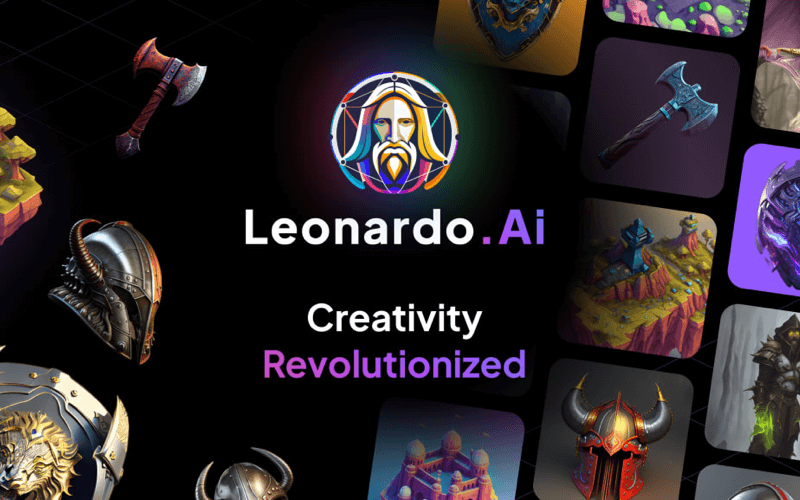
Leonardo AI is one of the best free image generators available today. It is especially strong for content creators who need unique featured images, concept art, and social media graphics. The free tier gives you 150 tokens daily. That is enough for 20-30 image generations per day.
What you get for free:
- 150 daily tokens. Refreshes every 24 hours.
- Multiple AI models. Leonardo Lightning, Phoenix, and more.
- Text-to-image and image-to-image generation.
- Reference images. Upload a photo. Guide the AI style and composition.
- Upscaling to higher resolution.
- Background removal for generated images.
- Community gallery with millions of images and prompts for inspiration.
What you do not get: Higher token limits, faster generation, API access, and premium models require a paid plan starting at $10/month.
Best for: Blog featured images, social media graphics, YouTube thumbnails, and creative experimentation.
Your Complete Free AI Content Workflow
Combine all five tools into a single content creation workflow. Total cost: zero dollars.
- Research: Start with Perplexity. Search your topic. Collect statistics. Save threads in a Collection. Every source is cited for later fact-checking.
- Outline: Take your research to ChatGPT. Ask it for a detailed blog outline with headings. Review. Adjust the structure to fit your angle.
- Draft: Write each section with ChatGPT. Give it specific prompts with context from your Perplexity research. Edit immediately. Add your voice. Remove fluff.
- Featured Image: Use Leonardo AI to generate a unique image. The 150 daily tokens give you plenty of attempts.
- Polish: Run the final draft through Grammarly. Catch spelling mistakes, grammar issues, and wordy sentences.
- Design: Need custom graphics? Use Canva AI. Quick and free.
- Publish: Copy into WordPress. Format headings. Add images. Hit publish.
Free vs Paid: Quick Comparison
| Tool | Free Tier | Paid Starts At | Key Paid Feature |
|---|---|---|---|
| ChatGPT | GPT-4o, DALL-E 3, browsing | $20/month | GPT-5, unlimited messages |
| Canva AI | Magic Write (50 uses), AI images | $12.99/month | Unlimited AI features, brand kit |
| Perplexity | Unlimited Quick Search, 5 Pro/day | $20/month | Unlimited Pro, GPT-4o/Claude models |
| Grammarly | Spelling, grammar, tone detection | $12/month | Full rewrites, plagiarism check |
| Leonardo AI | 150 tokens/day | $10/month | More tokens, faster generation |
The Free Tier Mindset
Free AI tools are not just for beginners. Many professional creators stay on free tiers until their business generates enough revenue to justify paid plans.
Start free. Build your skills. Only upgrade when a paid feature saves you enough time or generates enough value to pay for itself. These five free tools are all you need for the first 6-12 months of content creation. Read more of our AI tool guides and reviews as you build your skills.
Frequently Asked Questions
Are free AI tools really good enough for professional content creation?
Yes. The free tiers of ChatGPT, Canva, Perplexity, Grammarly, and Leonardo AI cover the essential needs of most content creators. The main limitation is usage caps, not quality. The free versions use the same AI models as paid plans — just with lower message limits or daily quotas.
What is the best free AI tool to start with if I can only pick one?
ChatGPT. It is the most versatile. You can write, edit, brainstorm, research, analyze data, and generate images all in one tool. Start there. Add other tools as your needs grow.
Do free AI tools require a credit card?
None of the five tools listed require a credit card for their free tiers. You can sign up with just an email address and start using them immediately.
How many AI images can I generate for free per day?
Leonardo AI gives 150 daily tokens (20-30 images). ChatGPT’s DALL-E gives 2-3 per day. Canva AI has a monthly free limit. Combined, you can generate 25-35 unique images daily across all three tools.
When should I upgrade from free to paid AI tools?
Upgrade when you hit a usage limit that blocks your work, or when a paid feature directly saves you time worth more than the subscription cost. Most creators wait 6-12 months before their first paid AI subscription.
Have a free AI tool you love that we missed? Let us know — we are always testing new tools.
Disclosure: Some links in this article may be affiliate links. We only recommend tools we have tested and use ourselves. Read our full disclosure.